Home

Media

Media

Stencila Markdown supports images, audio, and video using familiar Markdown image syntax. Depending on the target resource, the same syntax can represent different media object types.

Inline media

Media can appear inline within a paragraph:

An image ![](https://mdn.github.io/shared-assets/images/examples/grapefruit-slice.jpg), with alt text ![A grapefruit slice](https://mdn.github.io/shared-assets/images/examples/grapefruit-slice.jpg), with alt text and title ![A grapefruit slice](https://mdn.github.io/shared-assets/images/examples/grapefruit-slice.jpg "A grapefruit slice")
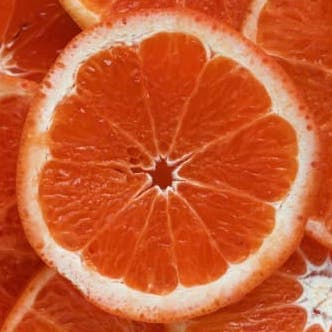
An image , with alt text A grapefruit slice, with alt text and title A grapefruit sliceA grapefruit slice

Audio and video can also be referenced inline:

Some audio ![](https://interactive-examples.mdn.mozilla.net/media/cc0-audio/t-rex-roar.mp3)

A video ![](https://interactive-examples.mdn.mozilla.net/media/cc0-videos/flower.mp4)

Some audio

A video

Block media

A media object on its own line is treated as block content:

![](https://mdn.github.io/shared-assets/images/examples/grapefruit-slice.jpg)

![](https://interactive-examples.mdn.mozilla.net/media/cc0-audio/t-rex-roar.mp3)

![](https://interactive-examples.mdn.mozilla.net/media/cc0-videos/flower.mp4)

Alt text and titles

As with standard Markdown images, you can provide alt text and an optional title:

![A grapefruit slice](https://mdn.github.io/shared-assets/images/examples/grapefruit-slice.jpg "A grapefruit slice")
A grapefruit sliceA grapefruit slice

Alt text is especially useful for accessibility and for outputs where the media itself may not be visible.

Media versus figures

Use plain media syntax when you just want to embed an image, audio file, or video.

Use a Figure when the media should be treated as a first-class document element with:

  • captions

  • labels

  • numbering

  • cross-references

  • multi-panel layouts

  • overlays

Related guides

For related authoring features, see:

Schema types

For the formal Stencila Schema definitions behind these features, see:

© 2026 Stencila


